
Billing. The mere mention of it is enough to make even the most seasoned affiliate marketer cringe. But what if I told you that advertiser billing could actually be your secret weapon?
Yep, you heard that right.
Advertiser billing, especially through Scaleo, is not just a tedious task; it’s a powerful tool that saves time, enhances accuracy, and ultimately boosts your bottom line.
Let’s break it down.
Why is Advertiser Billing Essential?
At its core, advertiser billing is about keeping your financials in check. It’s the process of creating detailed invoices for your advertisers, making it easier to manage balances and calculate payments.
But it’s more than just sending out bills. It’s about streamlining your operations, reducing errors, and ensuring that everyone—especially you—gets paid what they’re owed.
In affiliate marketing, particularly in iGaming, managing advertiser payments can get complicated. Multiple currencies, varied payment terms, and a constant flow of conversions can turn billing into a nightmare.
That’s where a robust system like Scaleo saves the day—or, should we say, every day.
The Power of Advertiser Billing in Scaleo
Scaleo makes advertiser billing a breeze. Seriously. Here’s how:
| 🚀 Feature | 🔥 Benefit |
|---|---|
| Advertiser Balance Management | Keep track of advertiser balances with ease, view billing information in one place. |
| Invoice Generation Options | Generate invoices for all advertisers at once or individually. Flexibility at its best. |
| Advanced Filtering | Filter advertisers by status, payment terms, or even search by ID. No more getting lost in the data. |
| Detailed Invoice Customization | Choose currencies, set offers, add memos, and more. Make invoices as unique as your business. |
| Attachment and Export | Attach files to invoices and export data to CSV or XLSX. Keep everything organized and accessible. |
Through its innovative features, Scaleo converts billing operations from simple tasks into valuable strategic assets. The ability to create invoices within minutes while having instant payment tracking represents the possibility of a transformed world.
Implementing Advertiser Billing in Scaleo
Implementing advertiser billing in Scaleo is straightforward and designed to fit seamlessly into your existing workflow.
Here’s how you can do it:
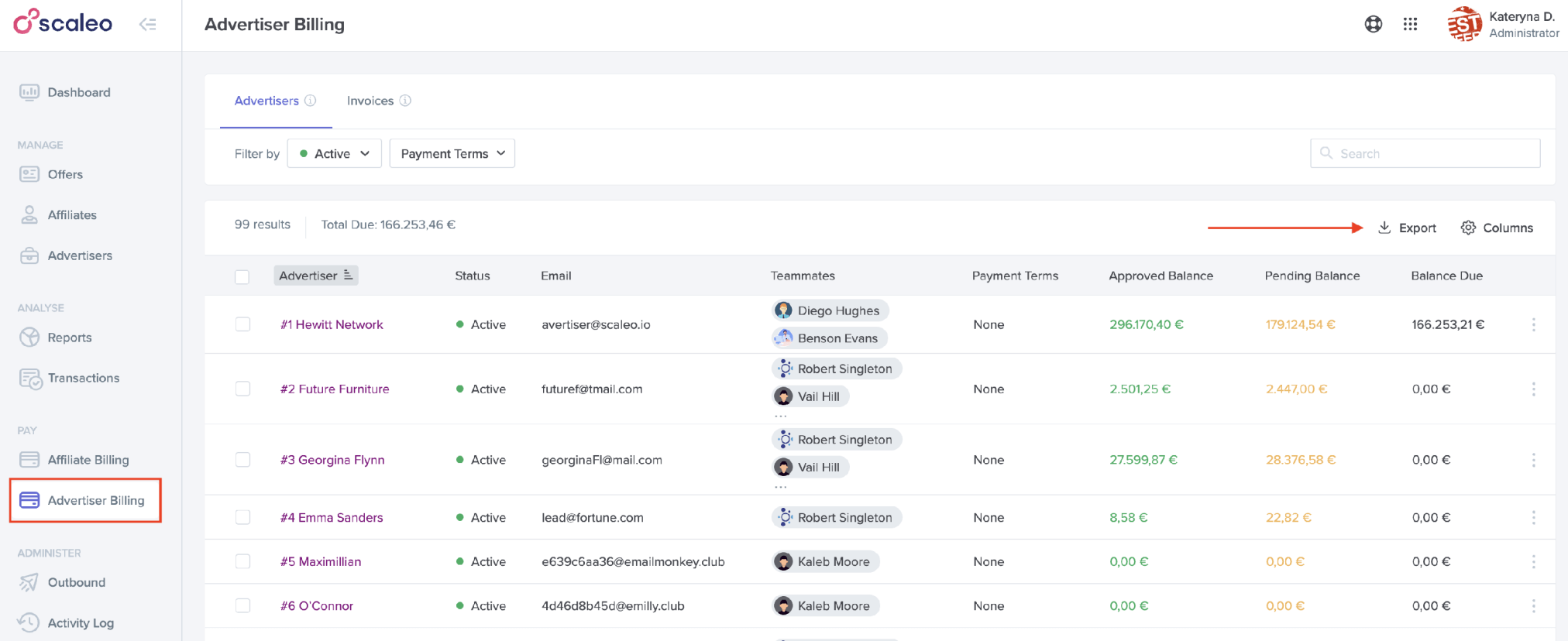
View and Manage Advertiser Balances: Start by heading to theAdvertiser Billing > Advertisers Tab. This is your control center, where you can view all existing advertisers, check their balances, and get a quick snapshot of their billing status.
You can also filter advertisers by status or payment terms or search for specific advertisers by ID or name. And yes, exporting all this info to a CSV or XLSX file is just a click away.
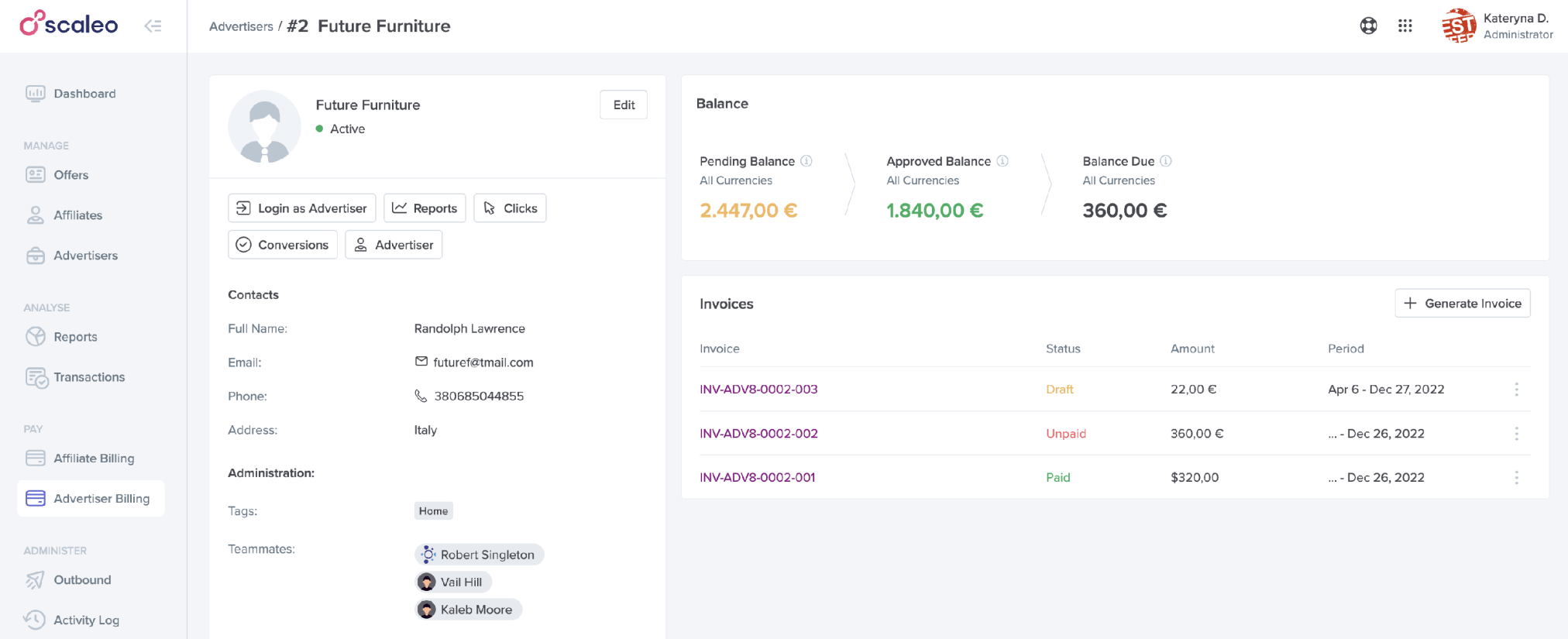
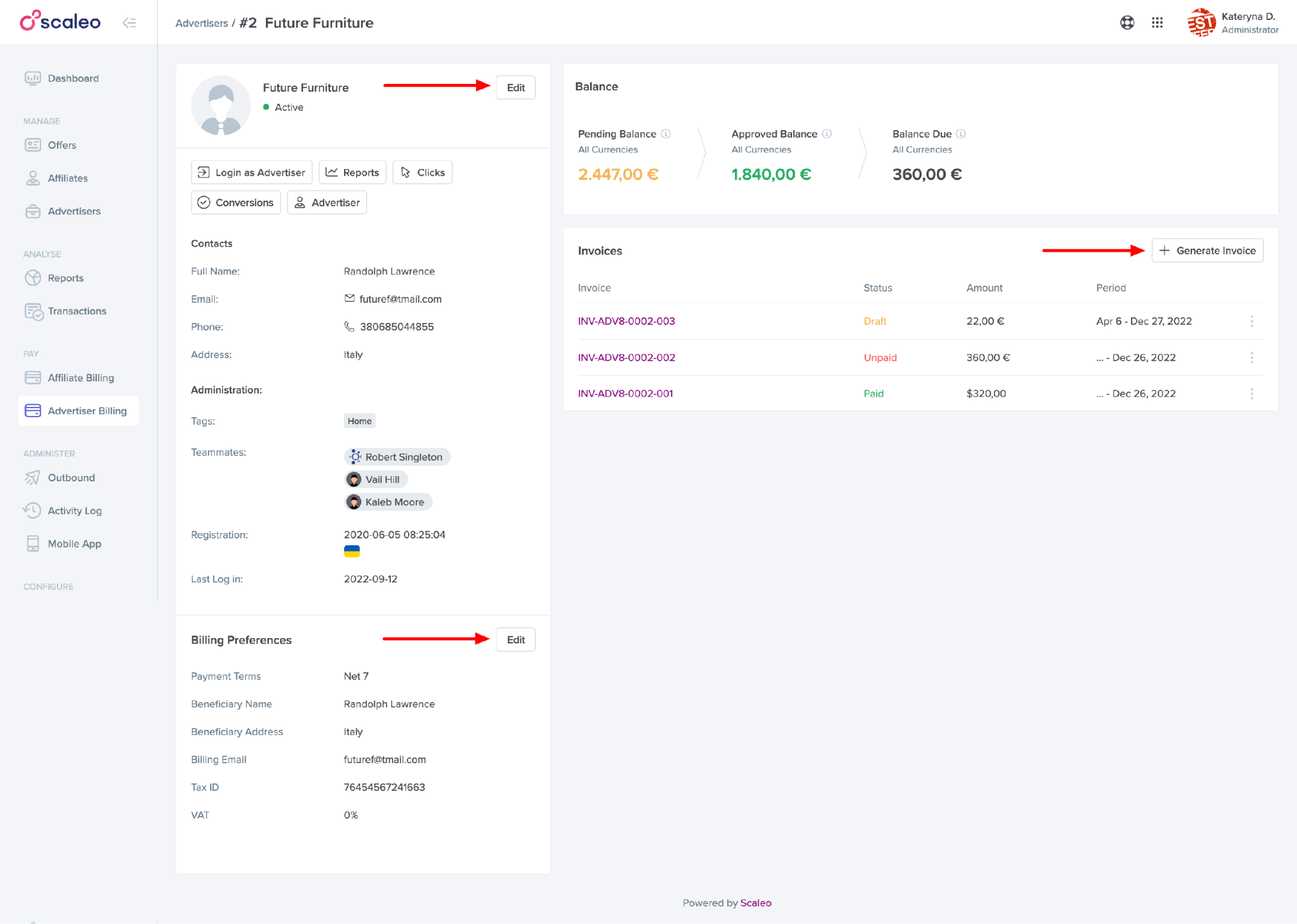
Dive into Advertiser Details: Click on any advertiser’s name to get into the nitty-gritty. Here, you’ll find everything from their balance details to the list of invoices you’ve generated for them. Need to tweak their billing settings or create a new invoice? It’s all right here. This page is your one-stop shop for all things billing-related for each advertiser.
Generate Invoices with Precision:
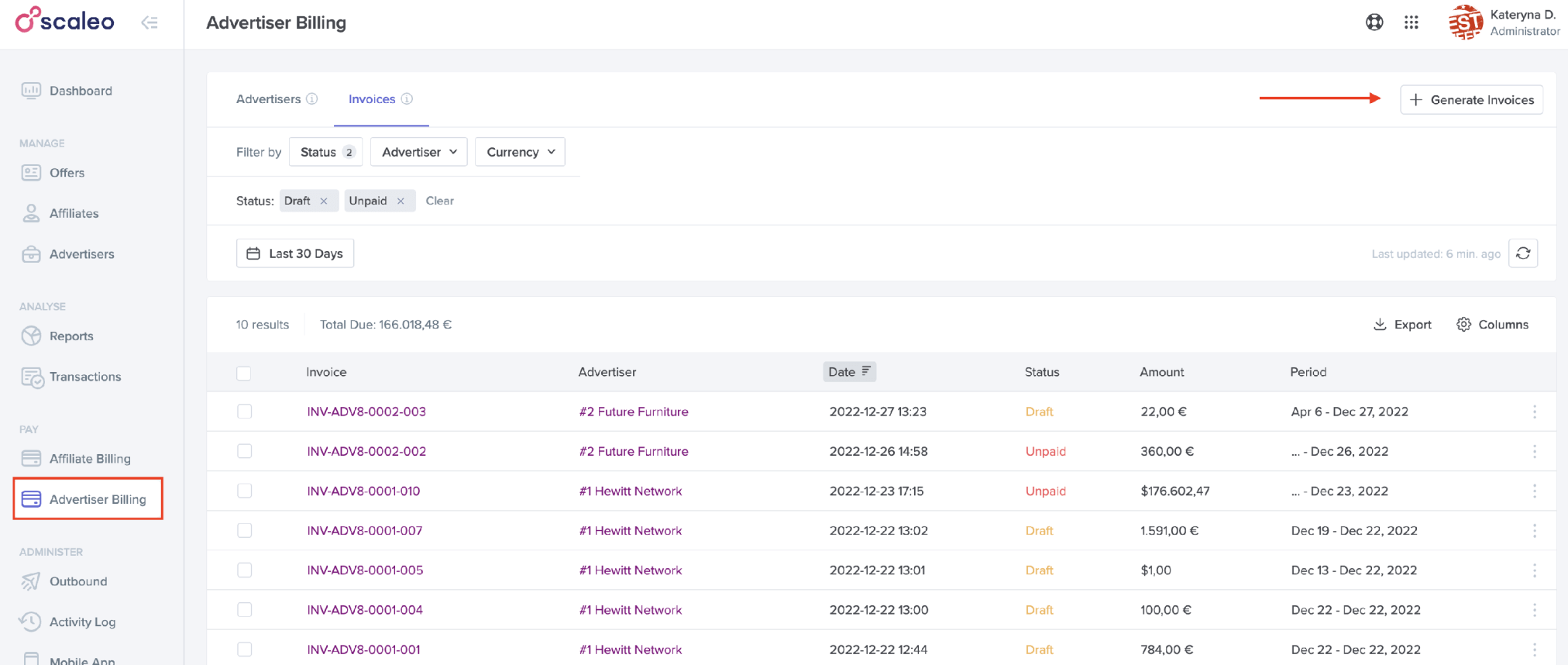
Whether you need to generate invoices for all your advertisers or just one, Scaleo covers you. Go to the Advertiser Billing > Invoices Tab, click the Generate Invoices button, and choose your options.
Want to include only specific conversions? Set your start and end dates. Need to cater to multiple currencies?
Easy peasy.
Prefer to add a personal touch with an invoice memo or attach a relevant document?
Done and done.
Scaleo gives you all the tools to create invoices that are as precise or as flexible as you need them to be.
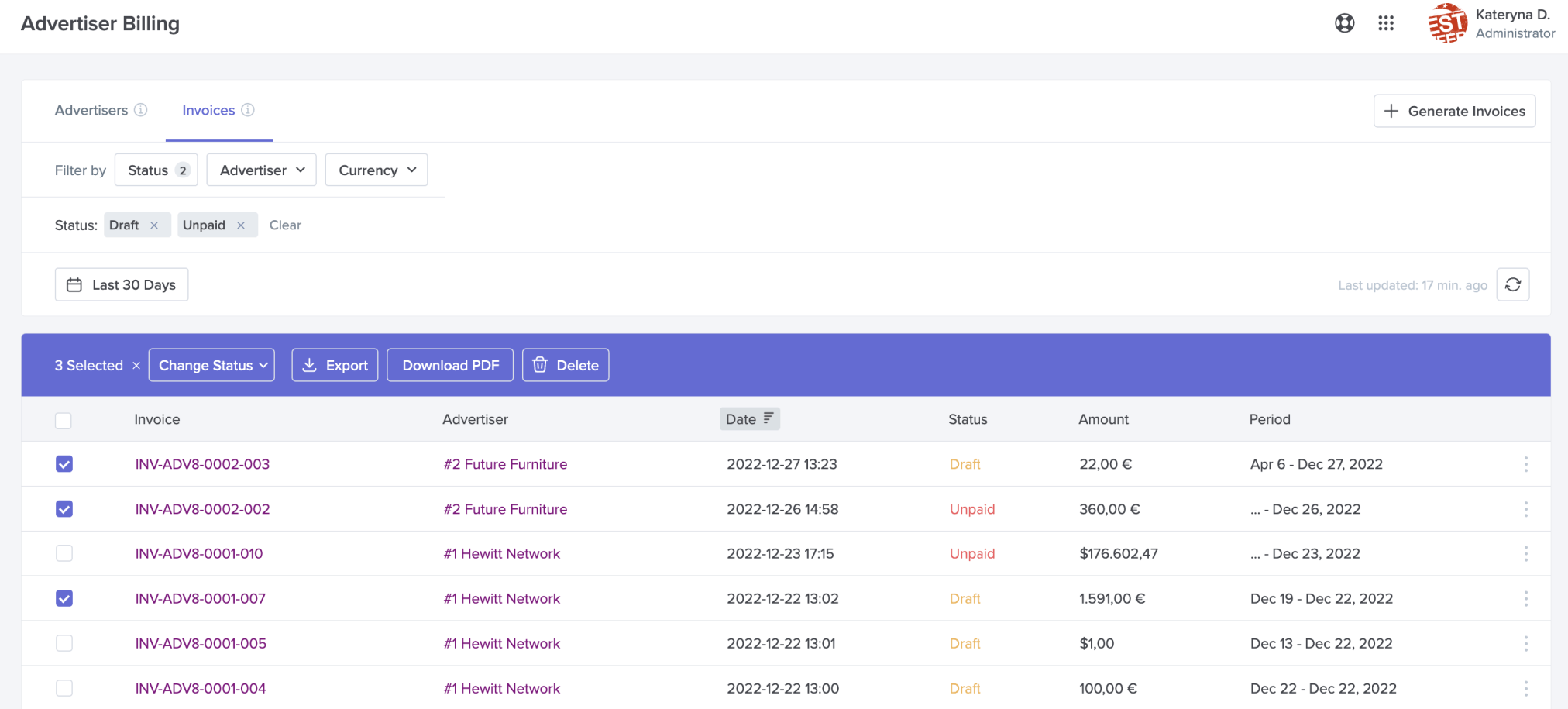
Manage and Review Invoices: Once generated, all your invoices live in the Invoices Tab. Here, you can see everything—generation date, status, currency, you name it.
Need to perform bulk actions like exporting, downloading PDFs, or changing invoice status?
It’s all at your fingertips. Plus, you can dive into individual invoice details for even more control. Want to add a note, attach a file, or adjust a draft invoice?
No problem.
Just remember that once an invoice is marked as paid, only certain fields remain editable.
Reporting and Analysis: Scaleo doesn’t stop at just generating invoices. Through its extensive reporting features,keep businesses can track conversions from paid and unpaid sources while obtaining detailed breakdowns and analyzing market trends. Through these tools you achieve real visibility into the effects of your billing strategy to optimize your operations using data-driven approaches.
How Advertiser Billing in Scaleo Saves Time
Time is money, and Scaleo‘s advertiser billing saves you both.
Your time becomes more valuable because automated features eliminate manual work while safeguarding against errors thus allowing you to focus on critical aspects such as affiliate business expansion. With bulk invoice generation and customizable payment tracking capabilities you can save both hours and days of work each month.
And let’s be honest: Your time becomes more efficient when you reduce invoice management so you can redirect your efforts toward generating revenue and building relationships with advertisers and optimizing campaigns and enjoying a coffee break with no invoice concerns.
Conclusion
In the fast-paced world of affiliate marketing, particularly in iGaming, efficiency is everything. Advertiser billing might seem mundane, but Scaleo has become a powerful tool that streamlines your operations, saves you time, and ensures you get paid accurately and on time.
From detailed balance management to flexible invoice generation and robust reporting, Scaleo makes advertiser billing not just easy, but strategic.
Ready to see how Scaleo can transform your billing process?
Give Scaleo a try today.