
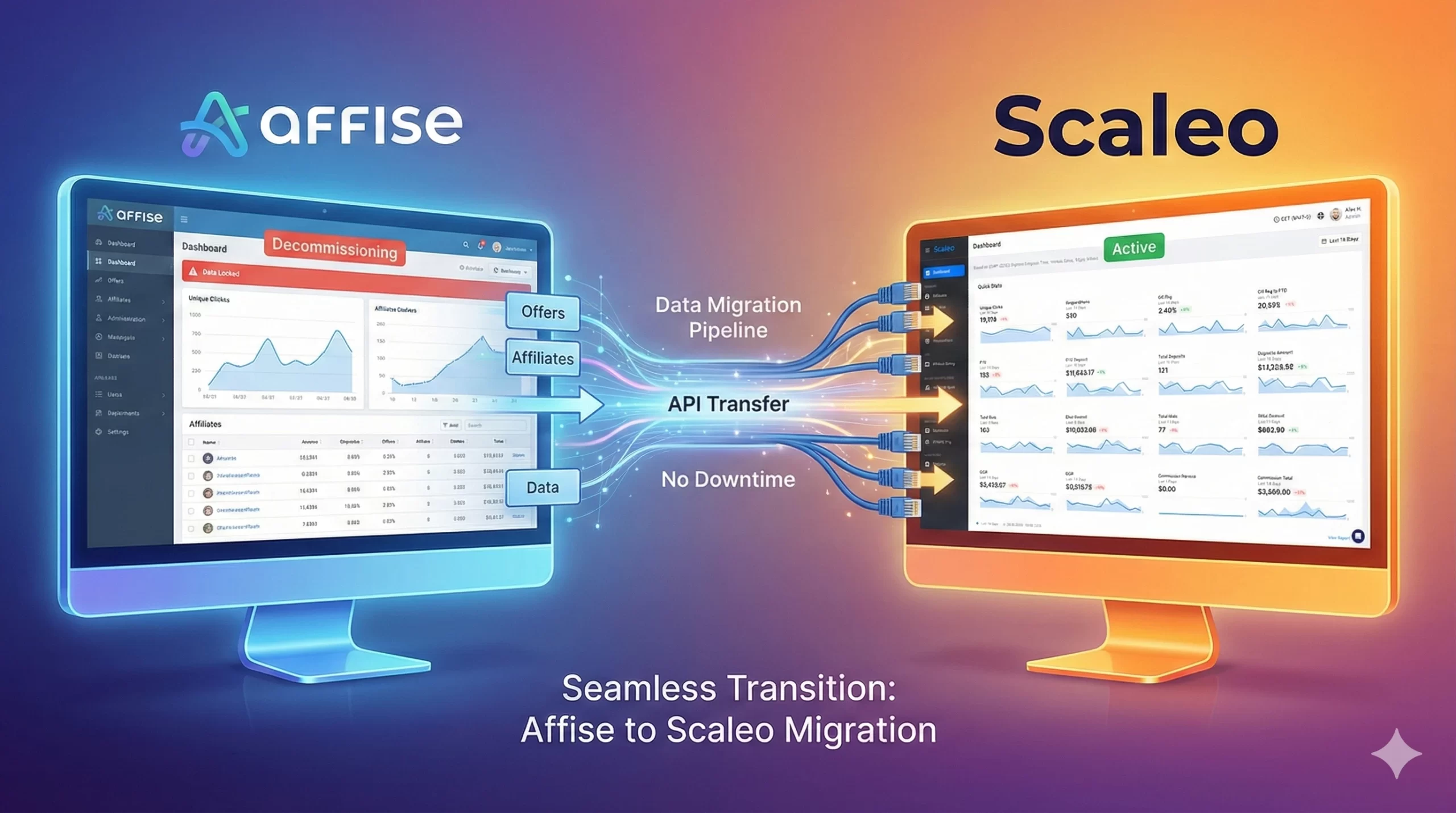
When operators talk to me about migrating from Affise to Scaleo, the emotion that comes up most often isn’t excitement. It’s fear. Fear of breaking something that “sort of works”, fear of upsetting top partners, fear of waking up to a dashboard that suddenly shows 0 conversions.
That fear is rational. You’re moving the nervous system of your acquisition engine. If you rush it, you can absolutely lose data, mis-attribute VIPs, or create ugly reconciliation disputes.
At the same time, the “do nothing” option is getting more expensive every quarter. Privacy signals are changing, fraud tactics are evolving, and casino operators are pushing far more granular player funnels into their tracking stack than they did even 2–3 years ago. Legacy setups that were bolted together for simple CPA flows now have to cope with multi-brand, multi-licence, multi-goal realities.
So this guide is designed as a blueprint – not just “how to export a CSV”, but the exact order of operations I recommend when you’re migrating from Affise to Scaleo with live casino traffic on the line.
What is “migrating from Affise to Scaleo”?
Migrating from Affise to Scaleo is the structured process of moving all core entities – advertisers, affiliates, offers, tracking links, postbacks, and (optionally) historical stats – from your legacy Affise instance into Scaleo, while preserving data integrity, partner relationships, and live traffic flow, using a staged, zero-downtime cutover strategy.
The goal is simple: switch brains without stopping the heartbeat.
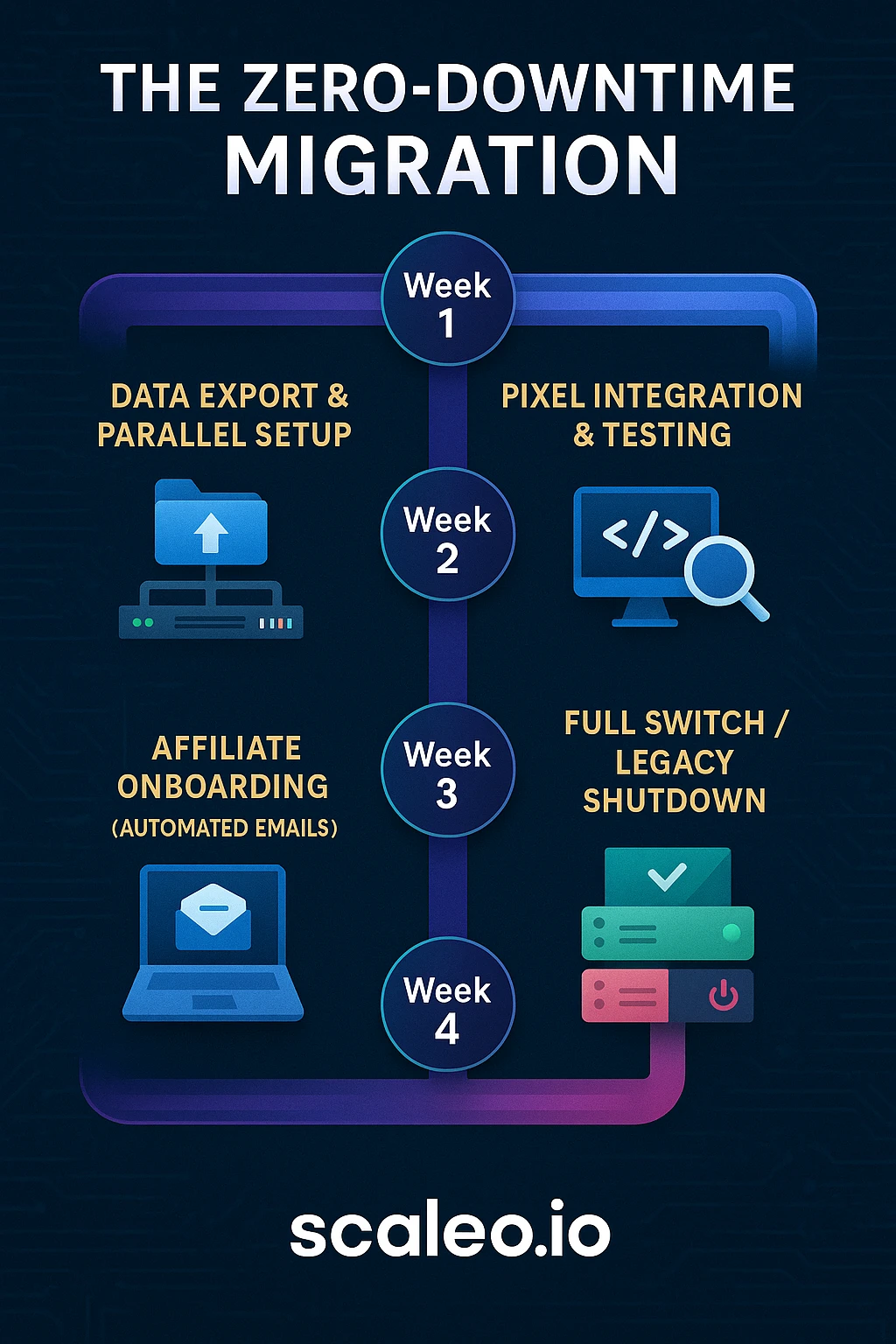
Step 1 – Design the migration architecture
Before you touch an export button, you need a clear dependency map. If you import in the wrong order, Scaleo will simply reject part of your data, and you’ll be stuck debugging half-created offers.
The strict order that works in practice looks like this:
- Advertisers
- Affiliates
- Offers (including goals/payouts, caps, and targeting)
- Running traffic (soft migration / overlap period)
- Historical statistics (optional but recommended for the last 3–6 months)
Why this order matters
- Offers depend on advertisers. If the advertiser doesn’t exist in Scaleo, the offer import fails.
- Affiliates and their postbacks must exist before you start switching traffic, or you’ll be catching conversions in a net with holes.
- Caps, geos, and goal structures often evolve over time; importing a sensible recent snapshot (not 5 years of junk) keeps Scaleo clean and fast.
In our experience analyzing millions of clicks across large migrations, the single biggest mistake is trying to “lift and shift everything” in one shot. You don’t need every dead offer and every dormant affiliate. You need a clean, operationally useful mirror of your current revenue engine.
So at this stage:
- Decide your time window for historical data (for example: last 6 months of stats).
- Decide which affiliates are worth migrating (inactive for 3+ years? Maybe leave them behind and re-onboard if needed).
- Decide whether you’ll use API, CSV, or a hybrid approach.
Step 2 – Export data from Affise correctly
You have two practical avenues out of Affise: API (JSON) and GUI CSV exports. For casino programs with any sort of scale, I strongly prefer an API-first approach, using CSV only where it’s operationally simpler (for example, a quick affiliate list sanity check).
2.1 Export via Affise API
You’ll use your Affise Admin API key and your tenant domain. The patterns look like this:
- Advertisers:
GET https://api.YOUR_DOMAIN.affise.com/3.0/admin/advertisers
- Affiliates (Partners):
GET https://api.YOUR_DOMAIN.affise.com/3.0/admin/partners
- Offers (usually filtered to active):
GET "https://api.YOUR_DOMAIN.affise.com/3.0/offers?status[]=active"
From a migration standpoint, you don’t want everything. You want the fields that map cleanly to Scaleo and help reconstruct relationships.
For advertisers, keep at minimum:
id– you’ll use this as a reference during transformation.title– maps to Scaleo company/advertiser name.manager_id– so you can map the right account manager, if you structure your team that way.- Anything custom you genuinely use in your workflows.
For affiliates, keep:
id– becomes your external reference when transforming.emailloginor main contact namestatus– so you don’t accidentally re-activate banned partners.manager_id– again, for team ownership mappings.
Password note: you can’t and shouldn’t migrate passwords. More on that later.
For offers, keep:
id– the original offer ID.title– offer name.preview_url– what affiliates see.tracking_url– the advertiser landing URL (not the Affise tracking link – Scaleo will generate its own).payments/payouts– including model and GEO-specific rules.caps– daily/weekly/monthly; timezones; event types.targeting– GEOs, devices, OS, etc.
This is where things get interesting. Casino flows typically have multiple payout models per GEO, plus different goals (FTD, qualified deposit, NGR share, hybrid deals). Affise stores these in one way; Scaleo expects a cleaner “Goals” structure. We’ll map that in Step 3.
2.2 Export via CSV (GUI)
If your program is mid-size or you simply prefer a visual sanity check:
- Go to Advertisers / Affiliates / Offers in the Affise UI.
- Use the
Exportbutton. - Always include “All columns” or at least all payout and targeting-related columns, even if you don’t think you need them.
Practical tip some have learned the hard way: keep a frozen copy of the raw exports before you start manipulating anything. That way, if your transformation scripts go sideways, you always have a clean baseline.
Step 3 – Transform data for Scaleo
Scaleo is flexible, but it’s not magic; it expects data in a specific format whether you use CSV imports or the API. This step is where you go from “raw dumps” to “Scaleo-ready” entities.
3.1 Import advertisers first
In Scaleo:
- UI path:
Advertisers→Add Advertiser(for manual tests) - API path:
POST /network/advertisers
At a minimum, map:
- Affise
title→ ScaleoCompany Name - Affise
id→ store as a custom field or external reference if you want cross-system traceability during the overlap period. - Affise
manager_id→ ScaleoManager(after you create your internal manager users in Scaleo).
Top-tier operators typically use this phase to clean up naming conventions. If you’ve had years of “Advertiser 01 / Casino Test / John’s Deals”, now is the moment to standardize.
3.2 Import affiliates with a re-onboarding strategy
Affiliates are trickier because you’re dealing with user accounts and security.
In Scaleo:
- UI path:
Affiliates→Add Affiliate - API path:
POST /network/affiliates
Key steps:
- Import
email,login/name, and status. - Do not try to migrate passwords. That’s both insecure and technically off-limits.
Two patterns that work well:
- Temporary password + forced reset
- Assign a generic strong password on import.
- Send a controlled communication explaining the migration and encouraging them to reset via the portal.
- Passwordless invites
- Create affiliates with no password.
- Use Scaleo’s invitation flow to send “Set your password” emails as part of your migration announcement.
I tend to prefer option 2 for serious casino programs. It feels more professional and avoids the security smell of shared temporary passwords.
Postback migration – the critical link
If you get postbacks wrong, you’ll have conversions firing into a void.
From Affise, you’ll typically export partner-level, offer-level, or global postbacks in a structure that contains macros like:
{clickid}{sum}{goal}{action_id}
In Scaleo, the equivalent macros look like:
| Variable | Affise Macro | Scaleo Macro |
|---|---|---|
| Click ID | {clickid} | {click_id} |
| Payout / Amount | {sum} | {payout}/{amount} |
| Transaction ID | {action_id} | {transaction_id} |
| Source ID | {pid} | {source_id} |
| Offer ID | {offer_id} | {offer_id} |
When you recreate postbacks in Scaleo (either through the UI or via API), you essentially:
- Replace Affise macros with Scaleo macros.
- Keep the advertiser’s endpoint and any static parameters identical.
- Optionally add extra parameters if you want more granular reporting (for example, passing
{goal_value}for multi-goal setups).
Here’s the bottom line: invest time here. When we audit rocky migrations, 80% of the pain traces back to loose macro mapping and inconsistent postback reconstruction.
Step 4 – Import offers and rebuild goals
Offers are where casino migrations either feel elegant or descend into spreadsheet hell. Affise and Scaleo both support complex payouts, but they model them differently.
Scaleo uses a clean Offer + Goals structure:
- Offer = the wrapper (name, advertiser, base URLs, visibility, caps, targeting).
- Goals = individual conversion events with their own payout model (CPA, RevShare, Hybrid, CPL, etc.).
4.1 Use the Scaleo offer import template
In Scaleo, you’ll typically start from a CSV import template:
- UI path:
Settings→Import→Offers(exact path may differ per setup).
Key mappings:
| Data Point | Affise Field | Scaleo Field / Param | Notes |
|---|---|---|---|
| Name | title | title | Direct copy. |
| Tracking Link | tracking_url | url | Advertiser landing URL, not the old Affise click URL. |
| Preview Link | preview_url | preview_url | What affiliates see in their panel. |
| Payouts | payments | goals | Create a default Goal + additional Goals as needed. |
| Caps | caps | caps | Always check timezone assumptions. |
| Status | status | status | Map active to active, others as needed. |
| Privacy | is_private | public / private | Private offers will require affiliate approval in Scaleo. |
If you’re using the API, the pattern is:
- Create the offer.
- Take the returned
offer_id. - Create one or more Goals attached to that
offer_id.
For example, you might have:
- Goal A – FTD (CPA, £150, GEO = UK)
- Goal B – NGR RevShare (35%, GEO = UK)
- Goal C – FTD (CPA, €120, GEO = DE)
Legacy setups often stuff this into one dense payout array; Scaleo encourages you to think in terms of distinct, transparent events. For affiliate relations and finance, that clarity is a gift.
4.2 Respect caps and timezones
This sounds mundane, but caps are where finance teams get nervous.
Affise might be resetting caps at UTC, while your team internally reports on CET, and your biggest brands run off MGA or UKGC timeframes. When you set up caps in Scaleo:
- Decide which timezone is your single source of truth for daily/weekly/monthly caps.
- Align Scaleo’s cap reset logic with that.
- Communicate clearly with affiliates if reported cap timing changes for them.
From an operator’s point of view, you care less about what your old system did and more about having a sane, documented standard going forward.
Legacy vs modern migration approaches
To really see why this structured method matters, it’s helpful to look at how migrations used to happen vs how top-tier teams run them now.
| Feature / Step | Legacy Approach ❌ | Modern Approach ✅ |
|---|---|---|
| Migration planning | “We’ll export everything Friday and go live Monday.” | Phased plan with entity order, overlap period, and rollback strategy. |
| Data export | One-off bulk CSV dumps with manual edits. | API-driven exports with scripted transformation and versioned backups. |
| Advertiser / affiliate setup | Created on the fly as offers are reported missing. | Pre-created in Scaleo with owner mapping and security reviewed. |
| Password handling | Shared temporary logins emailed around. | Secure invite flow and forced password setup in Scaleo. |
| Postback mapping | Copy-paste plus quick macro edits “by eye”. | Systematic macro mapping with test conversions per partner/offer. |
| Offers / payouts | One monolithic “best effort” mapping. | Offer + Goal design that mirrors real casino KPIs (FTD, NGR, Hybrid, etc.). |
| Cap/timezone alignment | Assumed similar to previous platform. | Explicit timezone standard + communicated to team and partners. |
| Go-live | Hard cutover, old platform turned off immediately. | Soft switch with dual postbacks and traffic overlap until Affise hits zero. |
| Validation | “Looks okay if dashboard isn’t red.” | Scripted click/postback tests + subID/macros validation across top partners. |
Most of the pain stories you’ve heard about “we migrated tracking and it was a nightmare” live entirely in the left column.
Step 5 – Plan the “soft switch” traffic strategy
Once advertisers, affiliates, and offers exist in Scaleo, you’re still not done. The real test is what happens when live casino traffic starts flowing.
Top-tier operators treat this as a controlled overlap period, not a cliff jump.
High-level flow:
- Generate new Scaleo tracking links for all active offers.
- Notify affiliates with a clear update-by date, linking to Scaleo’s new panel.
- Configure a global safety net on your old platform to send any “forgotten” traffic into Scaleo instead of dropping it.
- Dual-fire postbacks from advertisers during the overlap, so both systems record conversions.
In Affise, this usually looks like:
- Setting the Global Trafficback URL to a Scaleo smart link or rotator.
- Optionally adding offer-level trafficback rules for high-volume deals.
Result: if an affiliate ignores your email and keeps sending to their old Affise click URL, that click is still redirected into Scaleo and monetized.
Is it pretty? Not particularly. Is it effective? Extremely.
During this window, you’ll see:
- Some traffic still landing on the old platform.
- Some affiliates fully switched to Scaleo links.
- Conversions firing into both systems thanks to dual postbacks.
When Scaleo is consistently reporting 100% of active traffic and Affise has effectively gone dark, you can confidently retire the old system.
From the Data Lab: What we see working
Let me share one specific pattern we see across healthy migrations.
When operators try to migrate “everything ever” – every dormant affiliate, every paused offer, every edge-case payout – the project drags, the risk surface explodes, and teams burn out. When they ruthlessly scope to “the last 3–6 months of meaningful activity”, three good things happen:
- Migration time drops dramatically.
- Edge-case bugs (on ancient offers no one remembers) disappear from the critical path.
- Teams have more bandwidth to deeply test the flows that actually drive revenue.
There’s another subtle insight: operators who treat the migration as a chance to redesign their Goal structure around real casino KPIs tend to see uplift post-migration. When FTD, qualified deposit, and NGR or net-win events are properly modeled as distinct goals in Scaleo, it suddenly becomes much easier to fine-tune commissions, spot bonus abuse, and reward the affiliates who deliver actual player value.
It’s tempting to do a 1:1 replica of your old Affise setup inside Scaleo. The operators who see the biggest gains treat it instead as a controlled evolution.
How technology automates migrating from Affise to Scaleo?
Once the architecture is clear, technology does the heavy lifting. The worst thing you can do is treat this like a manual Excel migration. You have a modern, API-driven system on the Scaleo side – use it.
In practice, the automation breaks down into four pillars:
- API-driven entity creation (advertisers, affiliates, offers, goals)
- Scripted data transformation
- Automated validation (click and postback tests)
- Monitoring during the overlap period
If you’re working with a dev or BI team, this is where they’ll spend most of their time.
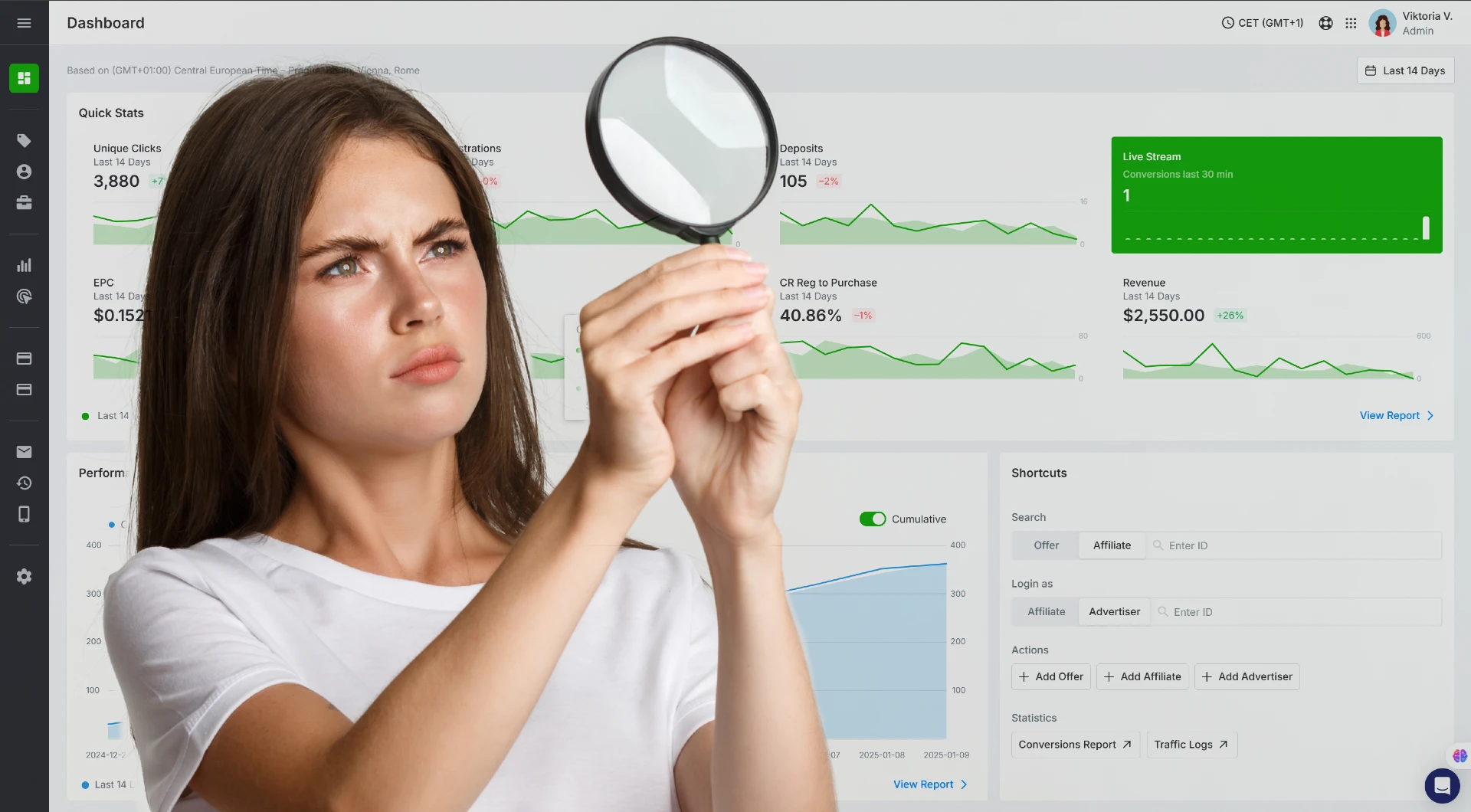
1. Automate entity creation via API
Instead of manually re-creating hundreds of advertisers and offers, you can script the entire process:
- Pull JSON from Affise via API.
- Transform into Scaleo’s expected schema.
- Push into Scaleo via
POST /network/advertisers,POST /network/affiliates,POST /network/offers, andPOST /network/goals.
This gives you:
- Consistency – every advertiser and offer follows the same structure.
- Speed – you can recreate an entire catalog in minutes.
- Idempotency – if something fails, you can safely re-run chunks without duplicating entities, as long as you store mapping keys.
Casino teams often underestimate how valuable this is when you have multiple brands, licensing jurisdictions, and regional teams all sharing the same infrastructure.
2. Script your postback mapping, don’t eyeball it
A common anti-pattern I’ve seen: someone exports a CSV of postbacks, opens it in a spreadsheet, does a global Find & Replace on {clickid} and {sum}, and calls it a day. That’s how you end up with one parameter missing in a corner-case integration you only discover at month-end reconciliation.
Instead:
- Parse postbacks from Affise into a structured format.
- For each parameter, apply a deterministic mapping (for example,
"clickid" → "click_id","sum" → "payout"). - Add unit tests or simple checks: “Does every postback contain
{click_id}? Does every payout-capable campaign pass{payout}or{amount}?”
Then, when you write postbacks into Scaleo (or pass templates to advertisers), you know you’re not relying on someone’s memory of “how we usually do this.”
3. Run systematic validation tests
Before you even think about shutting down Affise, you want a battery of tests that gives you confidence that migrating from Affise to Scaleo hasn’t left gaps.
At a minimum, I recommend:
Click test
Check that a Scaleo click URL is redirecting correctly to the advertiser:
curl -I "https://YOUR-SCALEO-DOMAIN.com/click?o=OFFER_ID&a=AFFILIATE_ID"
You should see an HTTP 302/301 to the advertiser’s landing URL, not an error or unexpected intermediate.
Postback test
Fire a synthetic conversion directly into Scaleo using a known click_id:
curl "https://YOUR-SCALEO-DOMAIN.com/track/goal?click_id=TEST_CLICK_ID&amount=10.00"
Then verify:
- The conversion appears under the correct offer and affiliate.
- The payout matches the goal configuration.
- Any custom parameters / subIDs are captured as expected.
Macro / subID validation
In live casino traffic, subIDs are gold. They carry campaign IDs, placements, creative labels, and all the little bits you need to actually optimize.
Make sure your Affise sub parameters map properly to Scaleo sub parameters:
sub1→sub_id1sub2→sub_id2- etc.
Practically, during the overlap, I recommend picking 5–10 top affiliates and running side-by-side comparisons:
- Fire test clicks through their existing Affise links and your new Scaleo links (where possible).
- Compare what lands in the reporting for subs, GEO, device, and any custom params.
You want to catch mismatches before they’re happening at scale with real money.
4. Monitor the overlap period in Scaleo
Once you start routing traffic into Scaleo, it becomes your single source of truth for performance – even while Affise is still technically online.
Useful Scaleo views during migration:
- Offer-level click and conversion charts (is volume ramping up as expected?)
- Affiliate-level performance (are your whales seeing numbers that match their expectations?)
- Error / invalid conversion logs (are postbacks failing? Are goal values missing?)
Think of it as ICU monitoring for your migration. For 1–3 weeks, you’re obsessively checking vitals until it’s boring again – and boring is exactly what you want.
[INSERT IMAGE: A flowchart showing traffic entering Affise links, being redirected via trafficback to Scaleo, with Scaleo recording clicks and conversions]
FAQ – Technical questions operators ask during migration
1. Can I run Affise and Scaleo in parallel without double-counting conversions?
You can, and you should for a short period – but you need to be deliberate.
The safe pattern:
- Affiliates gradually switch their links to Scaleo click URLs.
- In Affise, any residual traffic that still hits old links is redirected via Global Trafficback to Scaleo, so those clicks are counted only in Scaleo.
- On the advertiser side, you ask them to temporarily “dual-fire” postbacks – one to the old Affise URL, one to the new Scaleo URL.
What does this mean in practice?
- Clicks that originate on Affise links and redirect to Scaleo will only be recorded once in Scaleo’s click logs.
- Conversions may be logged in both systems during the overlap (because of dual postbacks), but that’s fine; you’re not using Affise for billing at that point, you’re using it as a safety mirror.
Once Scaleo’s data is stable and complete, you simply stop reading Affise’s numbers for commercial purposes and use Scaleo as your billing source of truth.
In legacy setups, a lot of casino programs still rely on browser-based pixels and cookies. That model breaks down under:
- ITP / ETP restrictions
- Aggressive ad blockers
- Cross-device journeys
- GEOs with stricter privacy standards
Scaleo is built around server-to-server (S2S) tracking:
- When a player clicks an affiliate link, Scaleo generates a
click_id. - That
click_idis passed to the advertiser in the tracking link. - On conversion (FTD, qualified deposit, revenue event), the advertiser’s back end calls Scaleo’s postback URL with that same
click_idand the relevant parameters.
Because the conversion signal is server-to-server:
- You’re not hoping a pixel loads in the browser.
- You’re not dependent on third-party cookies surviving.
- Even if the player moves from mobile to desktop, as long as the advertiser’s system ties the session together, you can still attribute correctly.
When you’re migrating from Affise to Scaleo, the most important part is updating advertiser-side postbacks to the new S2S endpoints and macro structure. Once that’s done, your risk from browser-level tracking noise drops significantly.
3. Do I really need to import historical stats, or is it enough to start “fresh” in Scaleo?
Technically, you could start fresh. Operationally, that’s rarely a good idea for a casino program.
You want at least the last 3–6 months of actionable history so that:
- Affiliate managers can see which partners were driving quality players before the migration.
- Fraud and compliance teams have context for patterns, not just what happened post-migration.
- Finance can reconcile “pre” and “post” periods more easily.
There are two main approaches to historical data:
- Full granular import
- You import historical conversions into Scaleo, attached to the correct offers, affiliates, and goals.
- This gives you unified reporting but requires more careful mapping.
- Summary import
- You keep full granular data in your BI or data warehouse.
- In Scaleo, you import summarized stats (for example, monthly aggregates per affiliate/offer) as reference.
Most operators going through migrating from Affise to Scaleo pick a hybrid approach: detailed import for recent months and summary or external storage for older periods.
Conclusion
Migrating from Affise to Scaleo is not “just” a platform switch; it’s a chance to rebuild the core logic of how you track, attribute, and reward affiliate-driven casino traffic.
If you:
- Respect the correct migration order (Advertisers → Affiliates → Offers → Traffic → History).
- Treat postbacks and macros as critical infrastructure, not an afterthought.
- Run a structured overlap period with redirects and dual postbacks.
- Use Scaleo’s API-driven architecture to automate, validate, and monitor every step.
…then the scary part of migration becomes surprisingly uneventful. Your affiliates see a faster, cleaner UI. Your team gets clearer goal structures, more reliable S2S tracking, and better tools to police fraud and bonus abuse. And you get to retire a stack that was never really designed for where iGaming is heading.
Here’s the question I always ask operators at this stage: if you’re going to run your next license application, your next VIP push, and your next three markets on this tracking backbone, do you really want to keep patching the old setup – or do you want a stack that’s actually built for the next five years?
- A structured migration path (
Advertisers → Affiliates → Offers → Traffic → Historical data) is the difference between a clean cutover and weeks of angry affiliates. - Using API + CSV in a controlled “overlap period” lets you migrate live traffic with effectively zero downtime.
- Proper macro and postback mapping preserves every click, every conversion, and every cent of partner revenue – without losing reporting continuity.
Ready to automate your migrating from Affise to Scaleo project instead of wrestling with spreadsheets? Start your free trial with Scaleo today and see the difference in real-time.
🎯 Unlock the full potential of your gambling business
Get actionable insights into your players’ funnel. In-depth reports let you discover your players’ journeys, from clicking on an affiliate link to registration and deposit.